 LoadSense
PRODUCT GUIDE / APPLE HEALTH
Understand your recovery without guessing what is missing.
LoadSense brings together accessible Apple Health observations to offer a wellness reference. When the data was recorded, its quality and the estimate’s limits matter as much as the number on screen.
Start with freshness
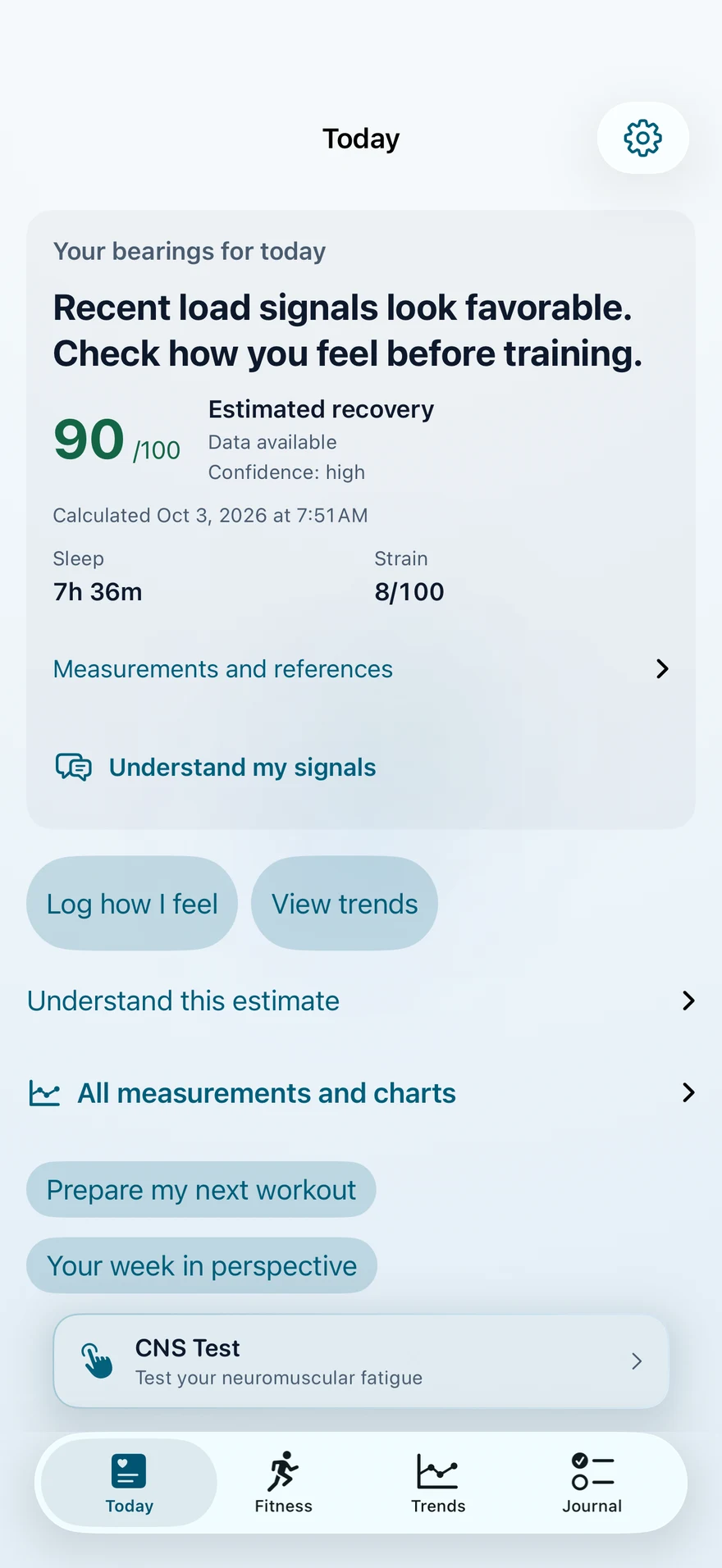
On Today, check when the data was updated and which factors are available. An older estimate describes earlier observations; it does not confirm how you feel now. Refresh the app after new Health data arrives.
A personal reference adds context
Read sleep, heart rate and training load values with their units and context. When a personal reference is available, compare measurements of the same kind and check the period behind them. A reference that is missing or still forming does not mean poor performance.
Metric details show the evidence actually used and its limits. HRV varies by measurement method and source; two different methods should not be treated as interchangeable.
Missing data stays missing
If sleep, HRV or another observation cannot be accessed, LoadSense may lower its confidence or withhold a score. A dash or “unavailable” does not mean zero. Check Apple Health read access, compatible observations and the selected sources in the app’s settings.
Apple Health does not tell an app whether read access was declined or no measurement exists. The screen cannot state with certainty which cause explains missing data.
On your wrist: a reference with a date
The Apple Watch app and its complications give a glance at available information. Check freshness and sync status before treating a wrist value as a new measurement. Some data must first sync with the iPhone; sensor availability depends on your devices and permissions.
LoadSense organizes wellness observations. Its scores are heuristic estimates, not a diagnosis, injury prediction or medical advice.