Petites Dents · Practical guide
The date, the tooth, and the age that day.
The evening a tooth is there, the useful note is short: which tooth, which day, and the child's age on that date. A photo or a line about the days before can wait.
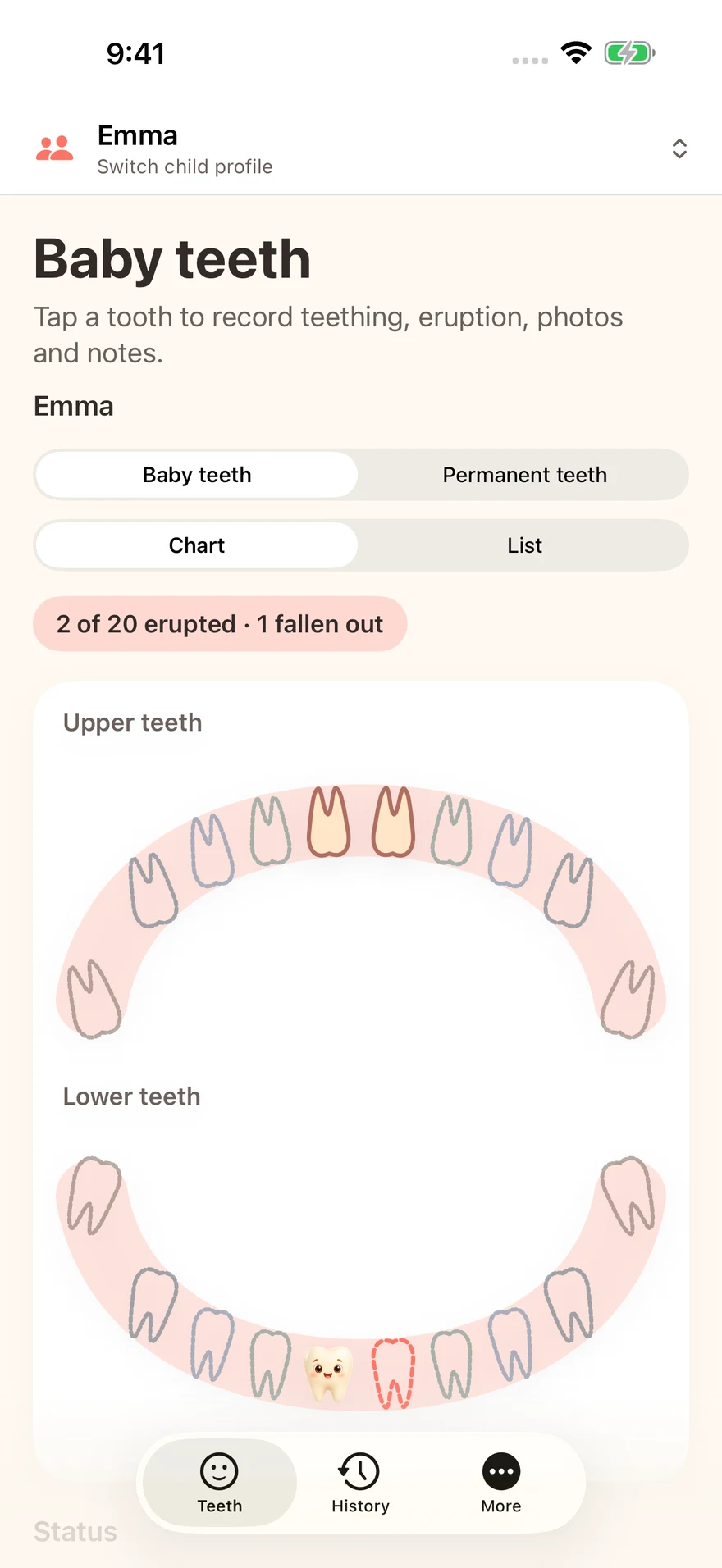
1. Keep teething and eruption as two dates
Petites Dents stores a teething date and an eruption date. Teething is the stretch when the gum is working. Eruption is the day you see the tooth. Writing both keeps the first date from standing in for the second. The app shows the child's age on that day. Add a note if you want to remember what you saw, and leave out a cause you did not observe.
2. Cover the 20 primary teeth
The free record covers the 20 primary teeth, notes, history and more than one child profile. The first photo of each child is included. Photos stay on the device until you export them. There is no Petites Dents account.
3. Choose what you hand over
A dental-chart PDF for a clinician does not include a photo. Keepsake PDFs and cards can be previewed for free. One purchase, with Family Sharing, adds the second set of teeth, more photos, and the export of those keepsakes. The price is the one on the store page.
4. Leave the medical question outside the notebook
Petites Dents is a personal log, not a medical device. It does not say a tooth is early or late. For a health question, take the date you wrote to a clinician. This page does not publish a typical eruption calendar.
Petites Nuits, for nights and napsPetites Bouchées, for foods already tried
Get Petites Dents on the App StoreGet Petites Dents on Google PlaySee the Petites Dents page