01 / MoveAtlas
Browse the offline atlas
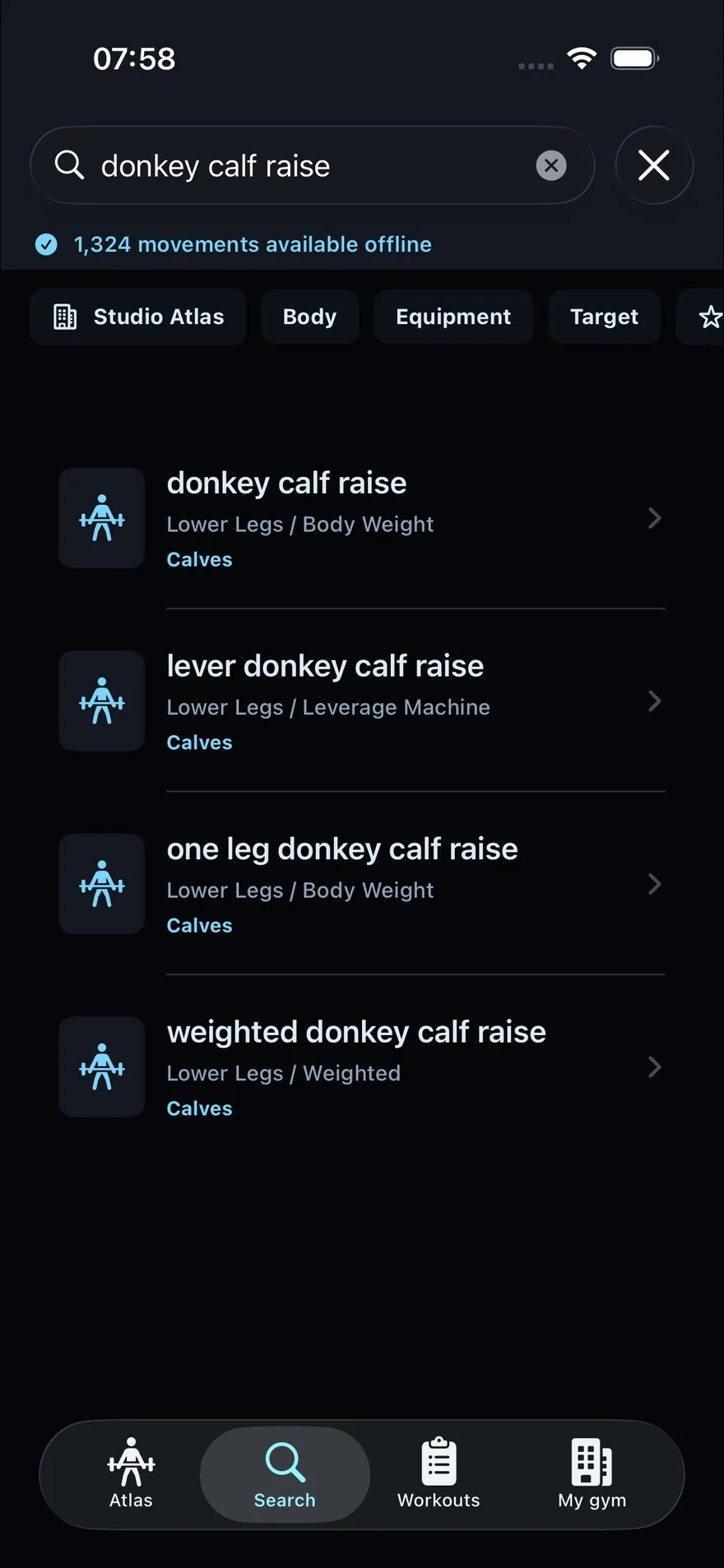
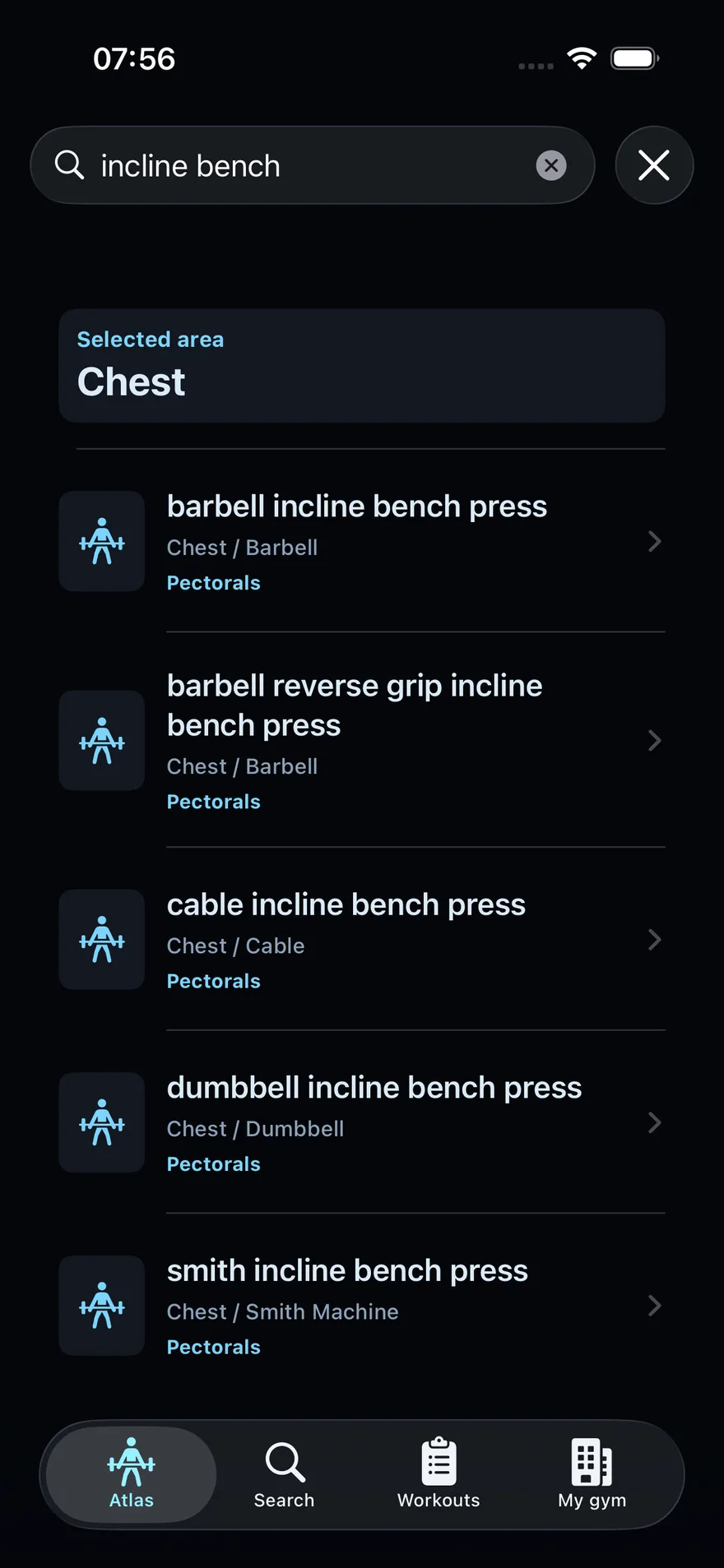
Search names in English, French, German and Spanish, including common aliases such as pushups and bench press. Filter by body area, muscle and equipment. Your active gym keeps the results within its equipment.
 MoveAtlas
MoveAtlas iOS
Search movement names in four languages and keep your gym settings close, even offline.
See the App Store listing for the current version and purchase options.
What it does MoveAtlas
01 / MoveAtlas
Search names in English, French, German and Spanish, including common aliases such as pushups and bench press. Filter by body area, muscle and equipment. Your active gym keeps the results within its equipment.
02 / MoveAtlas
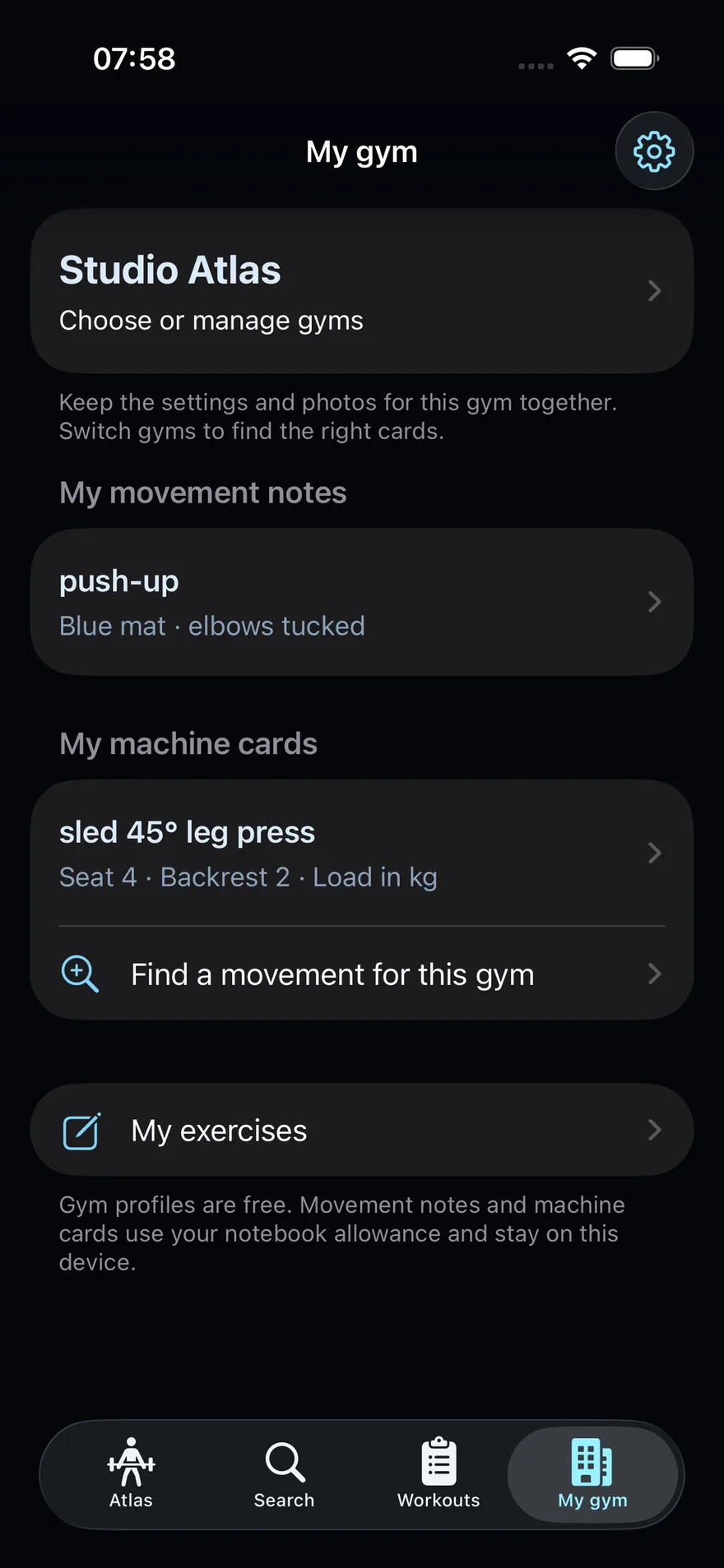
My gym brings your existing machine cards together, with your notes and personal photos. Search those cards by exercise name or by a setting you wrote, and switch gyms to find the right cards. Favorites remain available from the atlas.
03 / MoveAtlas
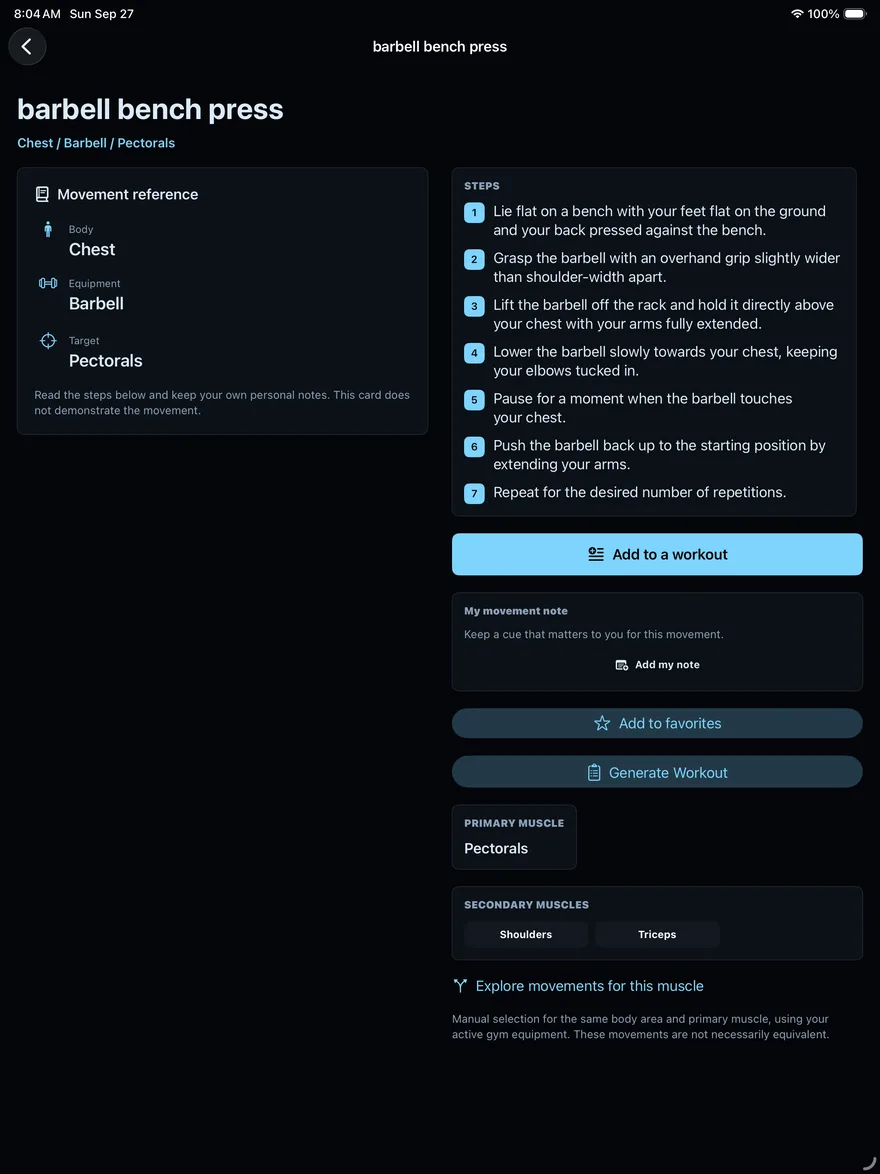
Exercise pages show native reference cards and text instructions. They contain no third-party exercise animations. Names are localized in four languages; this does not mean all technical instructions are translated. Twelve common movements have French and German instructions checked against the English source; other French and German notices explicitly show the original English. Other language coverage varies.
Find the movement you need, then keep the personal references you want to remember. MoveAtlas combines a free offline atlas of 1,324 exercises with your own gym notebook.
Search names in English, French, German and Spanish, including common aliases such as pushups and bench press. Filter by body area, muscle and equipment. Your active gym keeps the results within its equipment.
On exercises without a machine, save a personal movement note. For actual machines, keep a setting, note and optional local photo for each gym. My gym brings those entries together and searches by exercise name or by text you wrote. Existing machine cards stay accessible. Favorites remain available from the atlas.
Exercise pages show native reference cards and text instructions. They contain no third-party exercise animations. Names are localized in four languages; this does not mean all technical instructions are translated. Twelve common movements have French and German instructions checked step by step against the English source; other French and German notices explicitly show the original English. Other language coverage varies.
Generate and save workouts locally. Add an exercise directly to a plan, browse manual alternatives for your gym, replace an item and undo the change. Alternatives are choices to review, not a guarantee that exercises are interchangeable. The generator keeps your equipment and body-area constraints and explains incomplete selections.
The atlas, search, favorites, saved workouts and gym profiles are free. The notebook includes 5 items across movement notes, personal exercises, machine cards and cycles; eligible users from before version 1.1.0 retain 25. One optional purchase removes that limit, without a subscription. Existing entries remain readable and editable.
No account, ads or analytics. Notes and personal photos stay on this device. Catalogue browsing works offline; purchases and restoration use Apple StoreKit and may require a connection. Unreadable saved data is protected against accidental replacement.
Machine settings / MoveAtlas
A machine card belongs to one gym and one exercise. Record the markers you can see on that machine; they vary by model. Exercises without a machine keep a separate personal movement note.
Open My gym and select your gym profile. Cards remain linked to that profile.
Search for an exercise such as leg press, then open its detail. Add a machine card from that exercise.
Write down the settings present on that machine: seat, backrest, handle position and load unit. Add a local photo if it helps you identify them.
In My gym, search the exercise name or a word from your note. Switch gyms to find settings for different equipment.
Leg press · Atlas Gym
Seat 4 · Backrest 2
Handles: standard position · Load: kg
Check the markers on this machine before each session.
The numbers and positions in this example show how to take notes; they are not universal machine settings or training advice.
More independent apps
Support
Describe your question or the issue you encountered. Your message will be sent to support through Formspree.