
07:51
Recovery and training load on iPhone, Apple Watch and Android
Before you train, see where you're starting from.
LoadSense estimates recovery, sleep and training load from Apple Health on iPhone or Health Connect on Android. Estimates show when the data was recorded.


Free on the App Store and Google Play, with optional Pro. Requires iOS 18 or Android 8; Health Connect requires a compatible Android 9 or later phone and permission to read the available records. The Apple Watch app requires watchOS 11 and works with iPhone. The examples below show the iPhone and Apple Watch apps.

A day with LoadSense
-
You sleep. Your watch measures.
Overnight, Apple Watch writes your sleep, resting heart rate and heart rate variability to Apple Health. LoadSense reads only what is there, once you allow it.
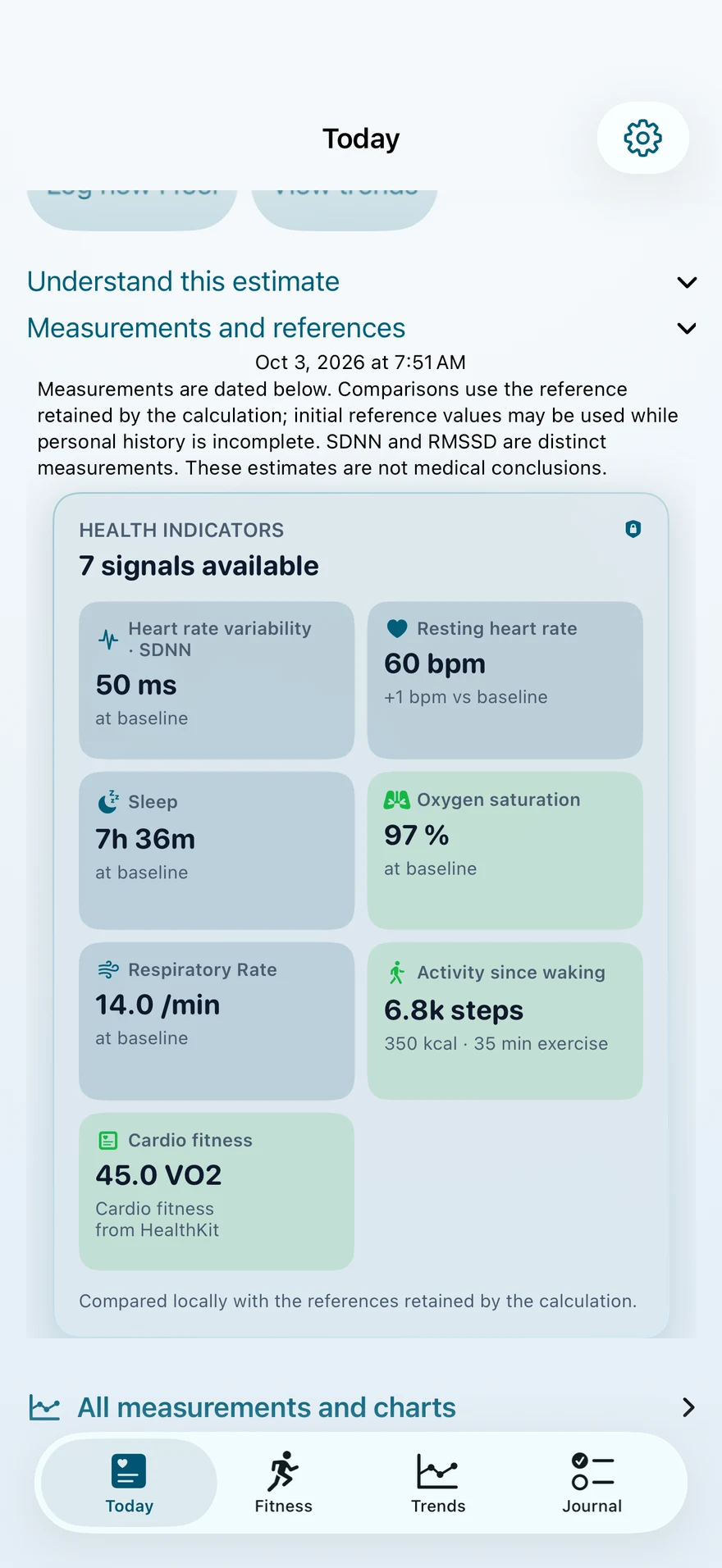
Signals LoadSense can read
- Heart rate variability (SDNN)
- Resting heart rate
- Sleep
- Respiratory rate
- Oxygen saturation
- Activity since waking
- Cardio fitness (VO2 max)
-
One number, with the time it was calculated.
Estimated recovery, sleep and strain, with a confidence level and the time of the calculation. When a measurement is missing or old, the screen says so.
Recent load signals look favorable. Check how you feel before training.
-
Open the number.
Each measurement sits next to your own baseline: heart rate variability, resting heart rate, sleep, breathing. The comparison runs on your iPhone.
-
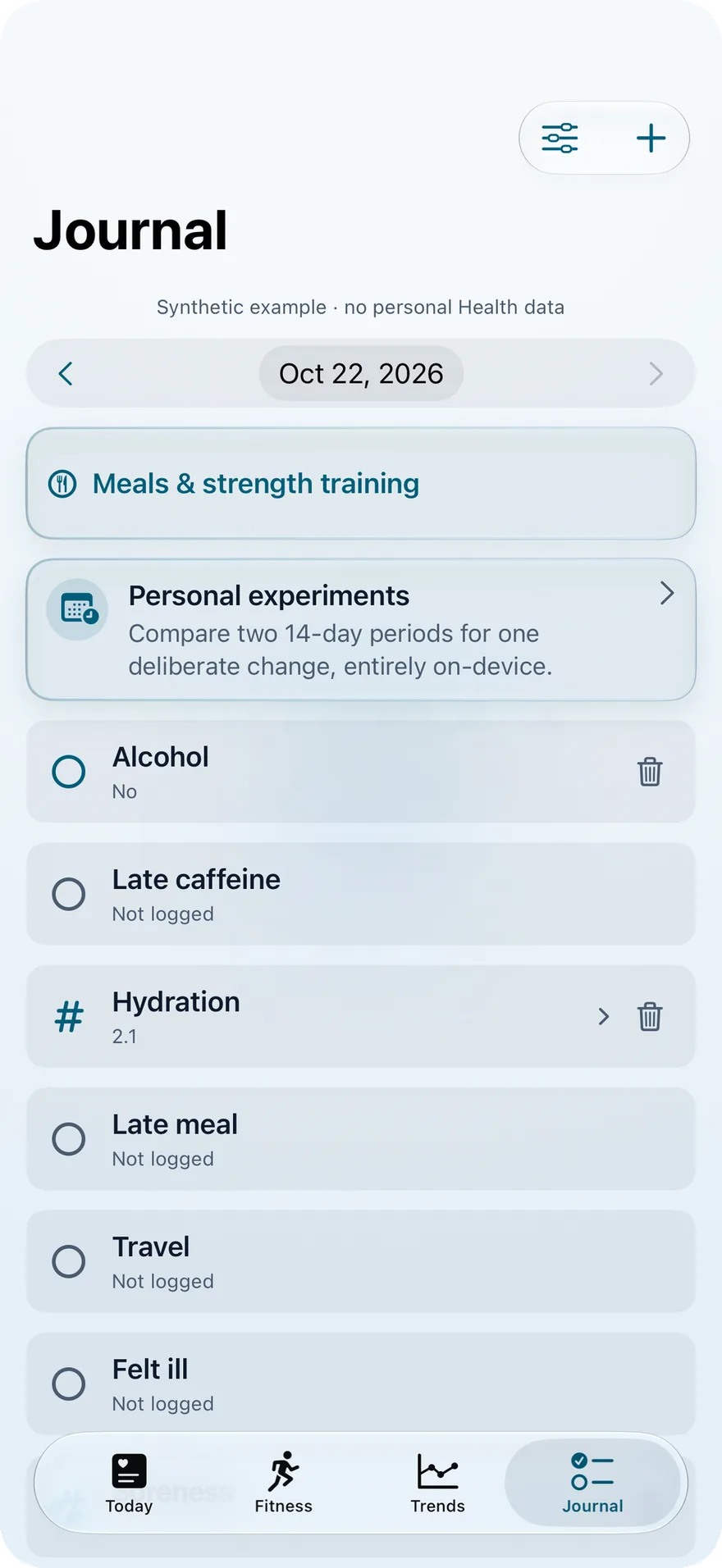
What the sensors can't see.
Alcohol, late caffeine, a late meal, travel, feeling ill. Note them in the journal so you can compare your days with the full picture.
-
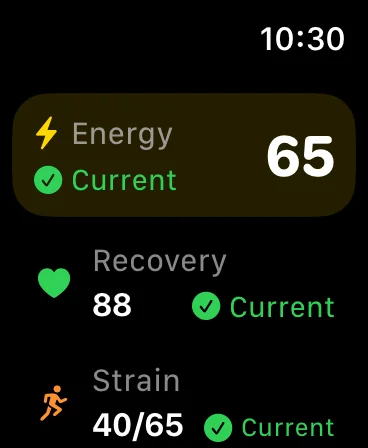
On your wrist, phone in the bag.
The day's summary on Apple Watch, with its sync status. If the data is up to date, it says so.
-
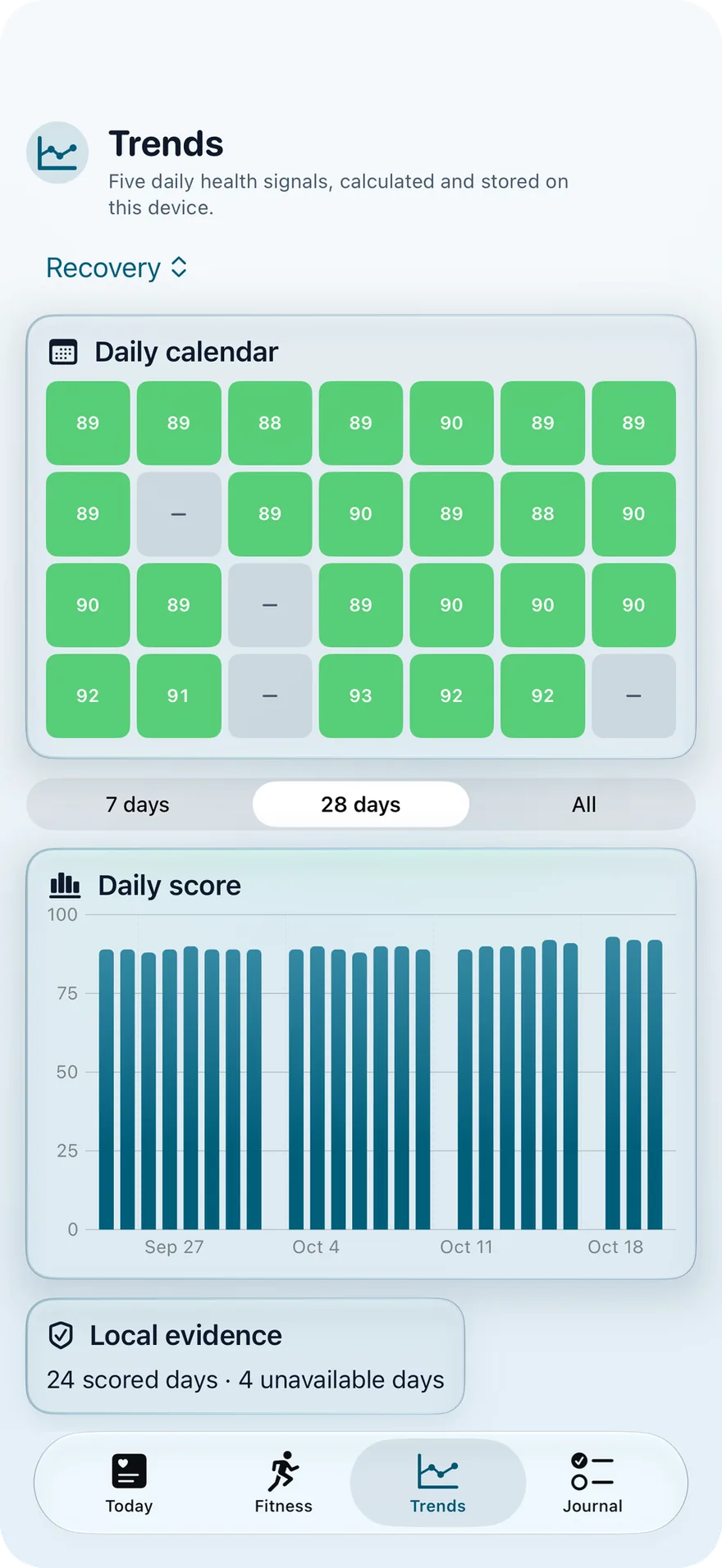
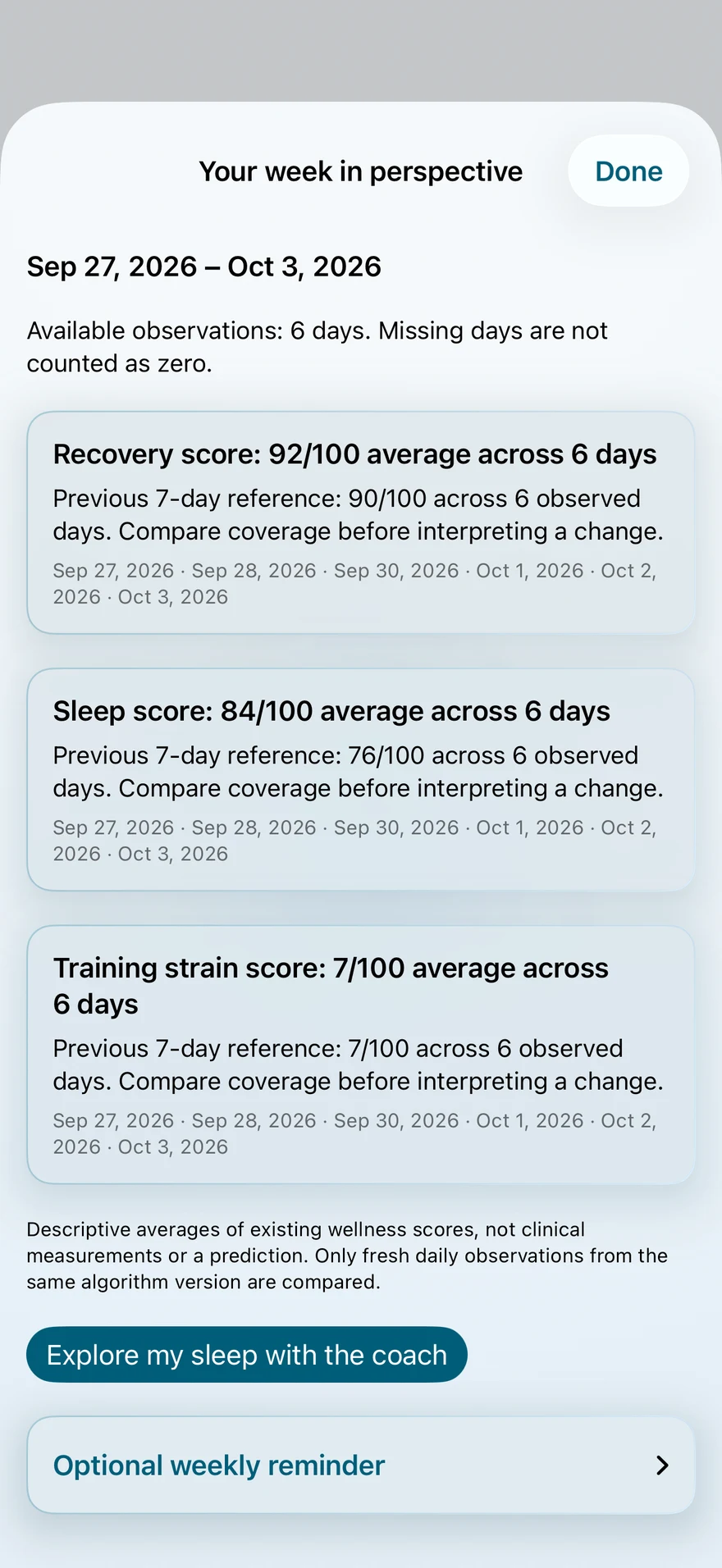
The week, laid flat.
A daily calendar and 28 days of trends. With Pro, a weekly review: averages, the number of days with data, and up to three observations.


Your health data stays on your devices.
There is no LoadSense account to create and no health data server. Calculations, history and the coach's essential answers stay on your devices.
What Pro adds
Daily indicators, your journal and recorded data remain free. Features and views vary by platform; the Apple Watch companion works with iPhone.
Free
- Your daily state, its main factors and indicator details
- On iPhone: the workout simulator and its verdict
- Your journal and the charts
- The daily summary on Apple Watch
- On iPhone: one full preview of the seven-day load projection, when enough data is available
LoadSense Pro
- Projected load with and without your planned workout, with the assumptions shown
- Local analyses of your available data, with dates and limits shown
- A weekly review with up to three observations
- Extended trends
On the US App Store, Pro costs $2.99 a month, $17.99 a year or $44.99 once for lifetime access. In other countries, the app shows the price before you buy. On Google Play, the app shows the price and billing terms before you buy.
Subscriptions renew automatically unless cancelled in your Apple Account settings on iPhone or in Google Play on Android. A free trial appears only when an offer is available and you are eligible. You can restore purchases in the app.
Tomorrow at 7:51, look before you lace up.
LoadSense is a wellness tool, not a medical device. Its scores give context. They are not a diagnosis, an injury prediction or a performance guarantee.
Questions or a bug to report?
Write to Benjamin Dupin, who develops LoadSense. For a bug, add your app version and your iOS or Android version.